
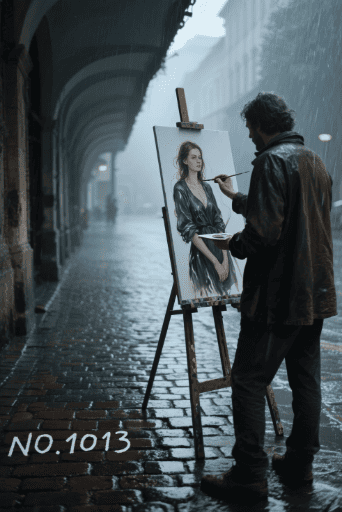
「プロンプトライブラリ」より、『デスクトップマスコットオーバーレイ』にトライします。
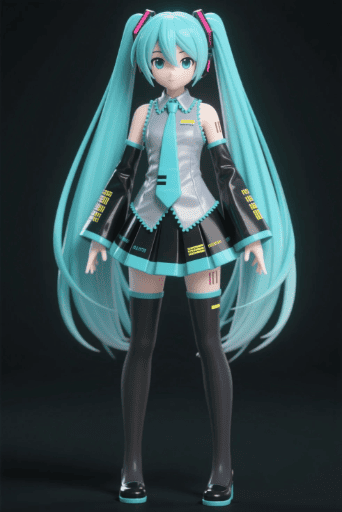
元画像1

ChatGPT+画像でお試し生成。
プロンプトは以下の英文です。
os_environment:
- Choose one: “Windows 11 style desktop” or “macOS Sonoma style desktop”
- If not specified, let the model choose the most natural OS UI
- Use authentic UI elements based on the selected OS
subject: - A character based on reference image A
- Rendered with semi-3D, anime-style shading
- Clear solid shadows and highlights defining volume
- Appears as a desktop mascot overlay interacting with real OS UI
composition: - A realistic computer desktop in 16:9 aspect ratio
- Include authentic-looking application windows and icons
- Character positioned naturally on or around these UI elements
action:
- Allow the model to freely choose mascot-like behaviors such as:
- lying across the top edge of a window
- sitting on a window frame
- touching, inspecting, or reacting to icons
- peeking from behind folders or apps
- Actions should feel physically grounded and slightly playful
location: - Displayed on a real OS-style desktop (Windows/macOS)
- Show recognizable UI elements (e.g., Chrome window, folder icons, taskbar/dock)
- Icons and windows appear authentic but used only as background elements
style: - Semi-3D anime shading (soft cel-shaded look)
- Defined shadows instead of rim lighting
- Clean digital rendering that blends naturally with real desktop UI
camera_lighting:
- Neutral frontal or top lighting to create solid, directional shadows
- Soft ambient light to keep color harmony with the desktop
- Screenshot-like straight-on camera angle
colors:
- Desktop in cool OS-like tones
- Character colors follow reference A accurately
- Shadows emphasized for 3D volume
text: - None unless needed
edit_instructions: - Use reference A for character accuracy
- Emphasize 3D-like volume with clear shadow planes
- Ensure the character appears layered above real desktop UI elements
- Keep real UI assets unmodified and only as contextual background
references:
A: “Character appearance reference”
extras: - high resolution
- realistic OS UI rendering
- clean compositing and precise layer separation
- allow creative mascot-like movement
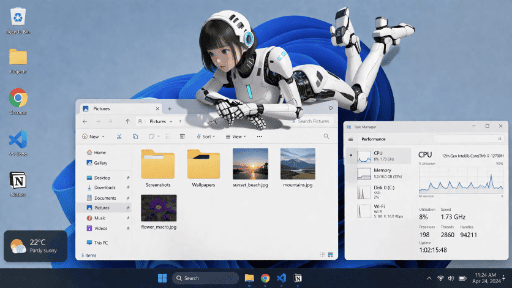
完璧に生成できました。
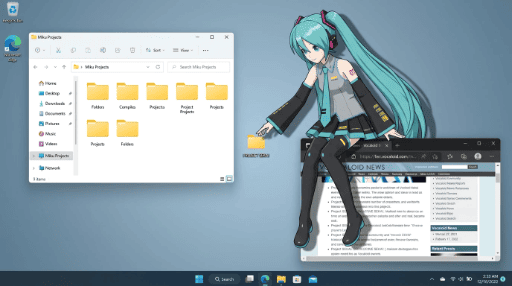
SeaArt Film Edit 3.0
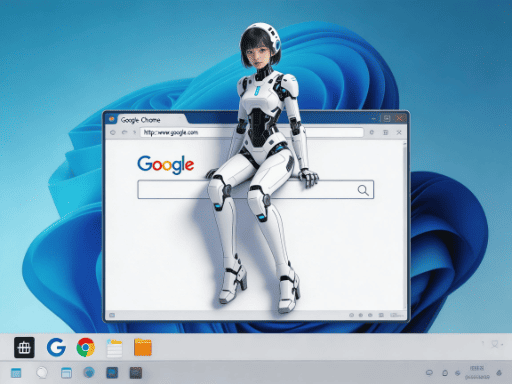
開いているウインドウのへりに座っていませんでした。
Nano Banana 2
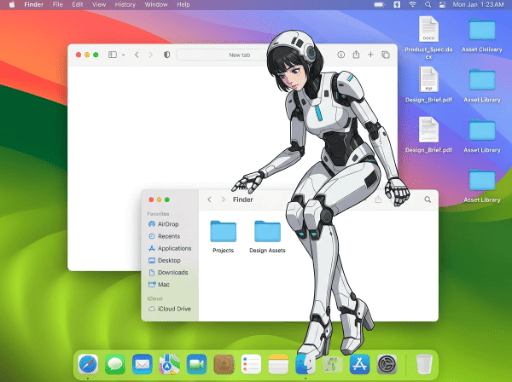
座り方は良いのですが、2D画像になりました。
もう一例試してみますが、その前に途中で気づいたことについてお知らせします。一つは、プロンプトが長すぎて字数制限を超えてしまっていることでした。そこは無視してMax入る分で生成してみました。もう一つは、前回同様の現象です。Film Edit 3.0を使って生成しようとしたところ、何度もシステムキャンセルになりました。結局生成できたのは最初の1枚だけでした。これは何らか不具合と思われます。
さて、それでは2例目へ進みます。
元画像2
Nano Banana 2
やはり2Dになりました。
Nano Banana Pro Image
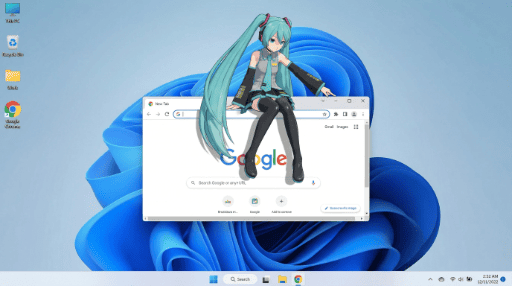
2Dから脱却できないようです。Win11デスクトップは完璧です。
デスクトップマスコットオーバーレイ
画像そのものは十分満足できるものでした。
気になるところは、3Dキャラが2Dになってしまうことでした。これは、SeaArt版Nano Banana系特有の現象かと思います。Film Edit3.0では、座り方が悪いものの元画像のキャラクターは維持されていたことからもわかると思います。ChatGPTは完璧でした。
コメント